Recreating Elliot’s Mr. Robot Episode 1 Investigation in My Hackademy Lab
PROJECTSPROJECTS
Mr. Robot Episode 1 is one of the most memorable introductions to hacking in television. What made the episode interesting was not just the terminal, the dark screen, or the commands. It was the way Elliot moved through the investigation. He gathered information, connected small clues, followed digital evidence, and slowly built a full picture of what was happening.
For this Hackademy project, I recreated that flow inside a controlled lab environment. The goal was to help students understand the cybersecurity concepts behind the scene instead of only watching it as entertainment. The lab is not about attacking real people or real systems. Everything is fictional, isolated, and designed for learning.
The lab follows the same kind of structure students see in the show: start with open-source information, identify credential exposure, review evidence, understand suspicious infrastructure, document the outcome, and discuss the ethical line between investigation and illegal access.
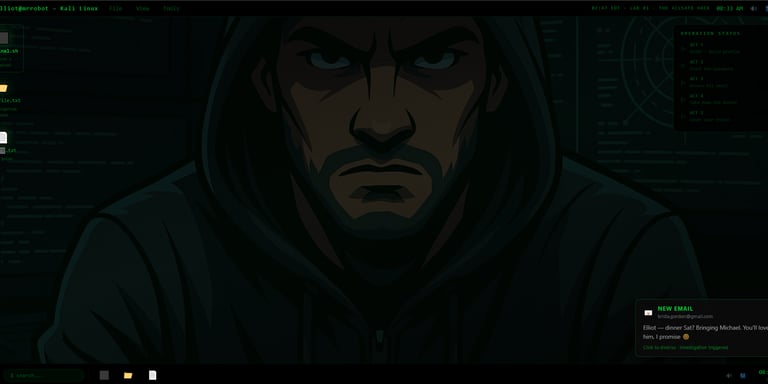
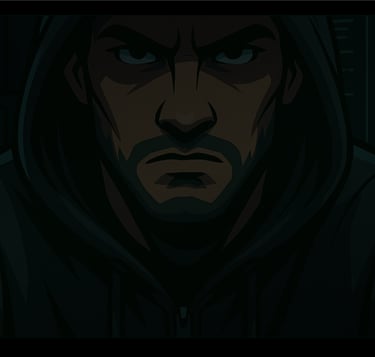
The first screenshot introduces the lab environment. I designed it with a dark Linux-style desktop, green terminal text, case files, and an operation status panel to give students the same feeling they get from the show. The environment is built to look like an investigation workspace, not just a normal terminal exercise.
This matters because good labs should not only teach commands. They should also create context. When students enter the lab, they immediately understand that they are following a case. There is a target profile, a set of stages, and a final objective. That makes the learning experience more engaging.
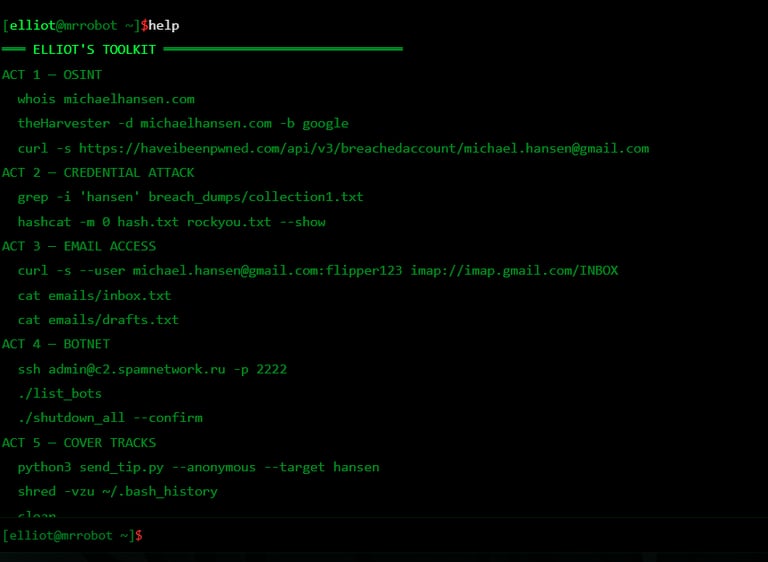
The second screenshot shows the help menu. This is where the full structure of the lab is revealed. I broke the lab into acts so it feels like a technical walkthrough of the episode.
The first act focuses on OSINT. The second act focuses on credential exposure. The third act focuses on email evidence. The fourth act focuses on suspicious infrastructure and botnet-related analysis. The fifth act focuses on reporting, evidence handling, and operational cleanup as a discussion point.
This structure helps students understand that Elliot’s process was not random. He did not just type commands for no reason. Each step gave him a new piece of information, and every piece helped build the bigger picture.
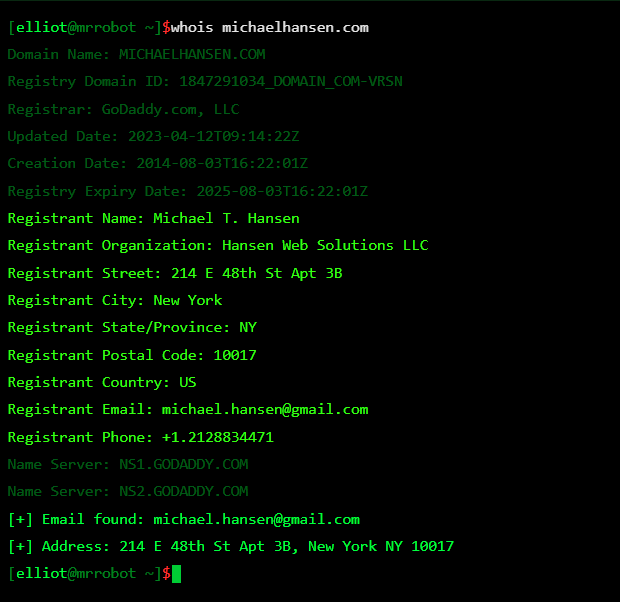
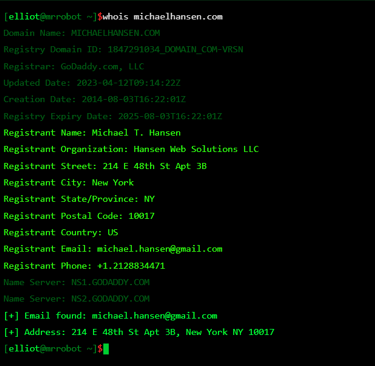
The first technical stage is OSINT. In this screenshot, the lab demonstrates how domain registration information can reveal useful details about a target. The output shows information such as the domain name, registrar, registration dates, registrant details, email contact, and name servers.
This recreates the type of public information gathering shown in the episode. The lesson here is that public records can expose more than people expect. A domain can reveal names, organizations, emails, addresses, and infrastructure clues if privacy protection is not used properly.
For students, this is a strong introduction to passive reconnaissance. Nothing is being exploited. The analyst is simply reviewing information that is publicly available and learning how to interpret it.
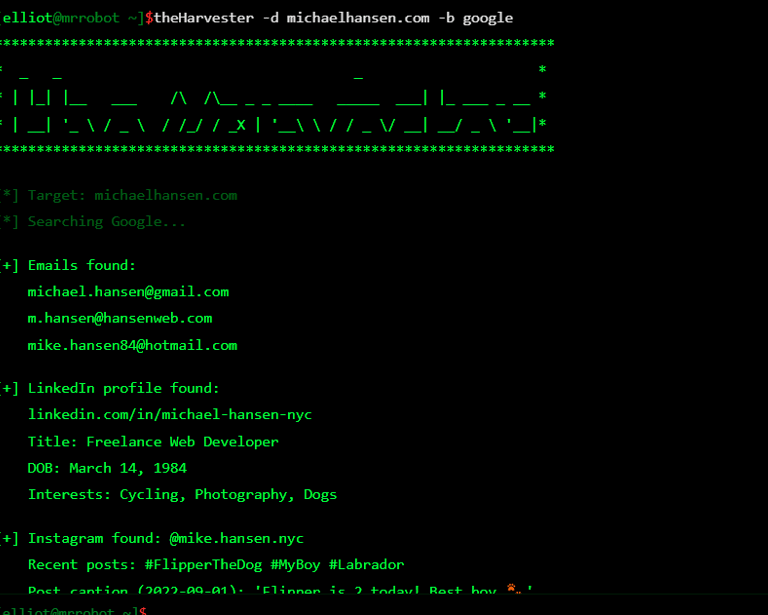
The next screenshot shows the OSINT process continuing with email and profile discovery. The lab identifies emails, social profiles, job details, interests, and other public clues.
This is where the investigation starts to feel more like the show. One piece of information leads to another. A domain leads to an email. An email leads to a profile. A profile reveals interests. Those interests may explain password habits or personal patterns.
The important lesson is that OSINT is about correlation. One clue alone may not mean much, but when multiple public clues connect, they can create a detailed profile.
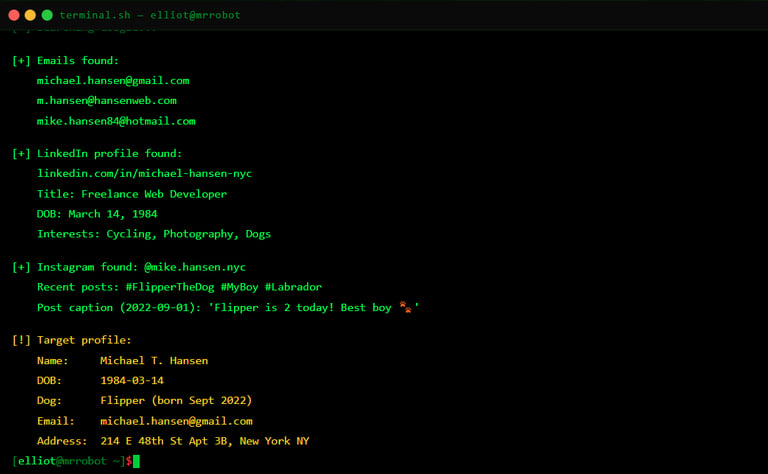
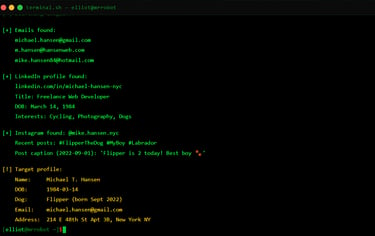
This screenshot shows the target profile after the OSINT stage. The lab has collected the fictional target’s name, date of birth, email, social profile, interests, and other details.
This is one of the most important teaching points. Students need to understand how dangerous oversharing can be. A pet name, birthday, username, or public profile detail can become useful to an attacker if it is connected with leaked credentials or weak password habits.
This stage teaches students that personal information is security information. What people post online can affect how easy it is to profile or target them.
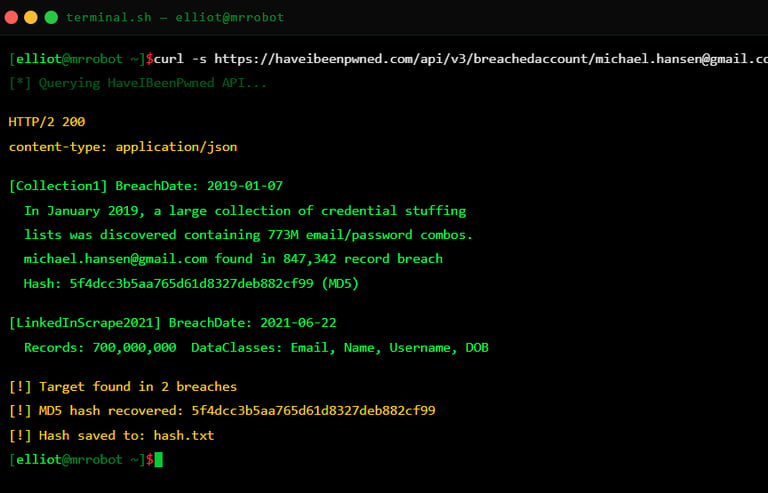
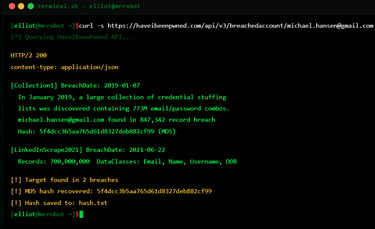
The next stage demonstrates breach exposure. In the lab, the fictional email appears in breach-related data. The output shows that the account was found in old exposed datasets and that a password hash was recovered.
This connects directly to one of the major lessons from Mr. Robot Episode 1: old breaches still matter. A breach from years ago can still create risk today if a user reuses passwords or creates predictable passwords based on personal information.
This section should be explained carefully. The purpose is not to teach students to steal accounts. The purpose is to teach why defenders care about breach monitoring, password resets, MFA, and password managers.
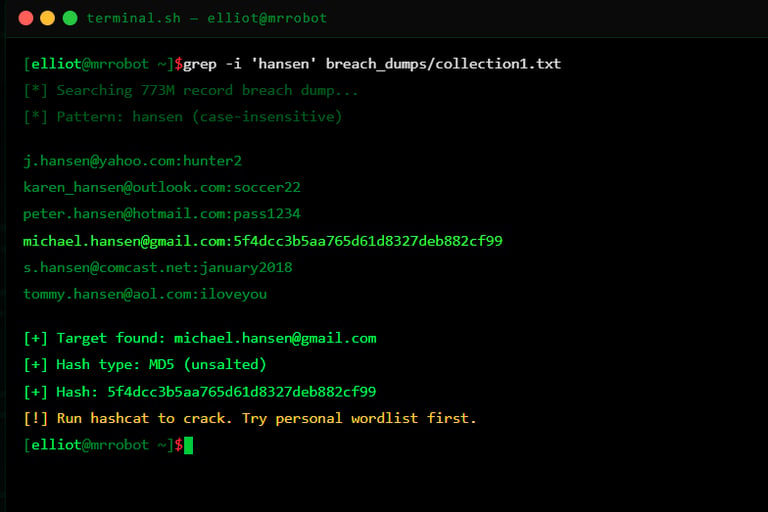
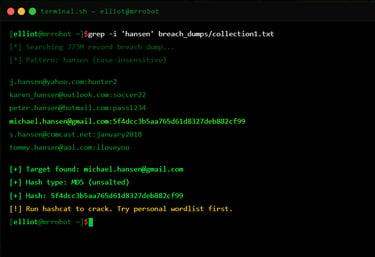
This screenshot shows the lab searching through fictional breach data and finding a matching account. The important part is that the lab demonstrates how attackers may connect leaked data with public information.
For teaching, I would explain this as a defensive awareness lesson. If an organization knows that an employee’s credentials appear in a breach, the proper response is to reset passwords, enforce MFA, and check for suspicious logins.
This is also a good place to remind students that using leaked credentials against real accounts is illegal and unethical. In a real company, this kind of work must be authorized and handled through proper security procedures.
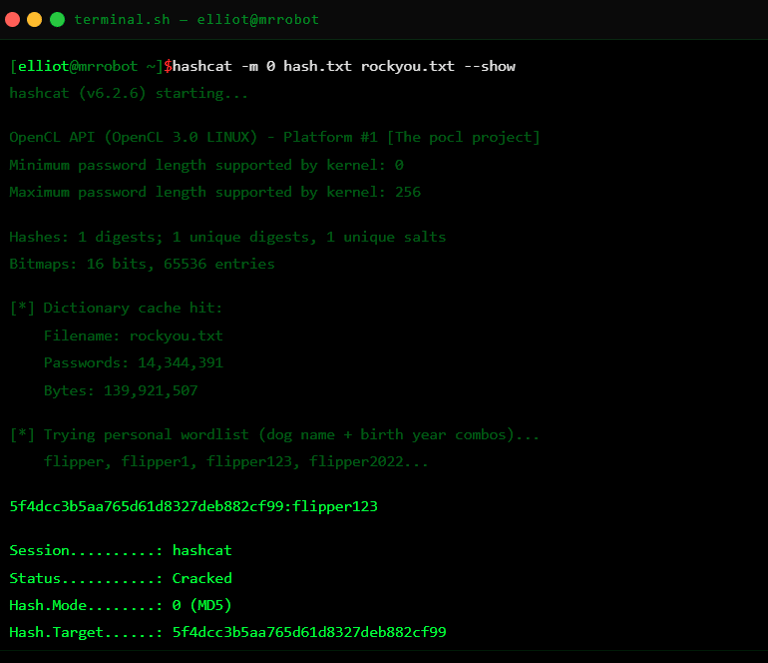
The next screenshot shows the password recovery stage inside the fictional lab. The password is recovered because it is based on personal information discovered earlier.
This is the part that makes the lesson very clear. Weak passwords are dangerous because they are often predictable. If someone uses a pet name, birthday, nickname, or common word, that password may be easier to guess or recover.
The point of this stage is not the tool itself. The point is the human mistake behind it. Password reuse, predictable passwords, and lack of MFA are what make account compromise easier.
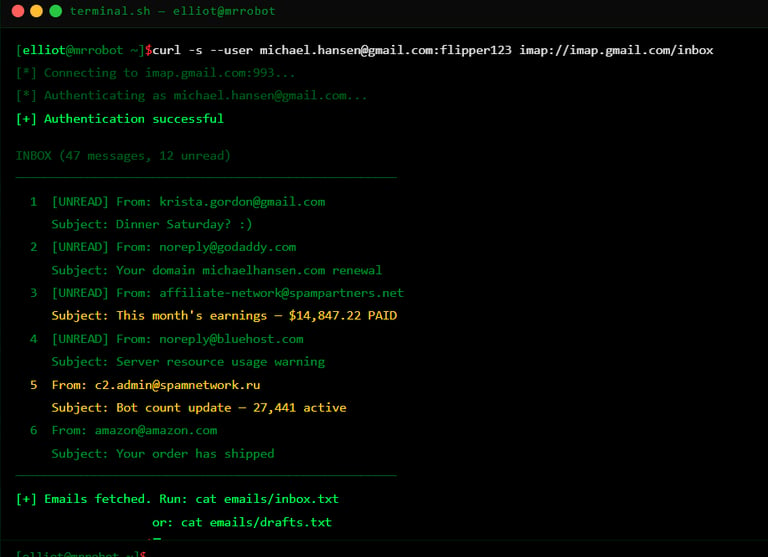
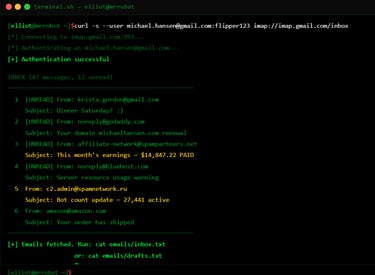
The next stage shows the fictional mailbox evidence. In the lab, the inbox reveals suspicious messages related to money, infrastructure, and bot activity.
This part recreates the moment where evidence starts confirming the bigger story. The mailbox is not just a random account. It contains clues that connect the target to suspicious operations.
For the blog, I would frame this as a controlled review of fictional evidence, not real email access. The learning point is that email accounts are high-value targets because they can contain private conversations, payment records, login alerts, reset links, and operational details.
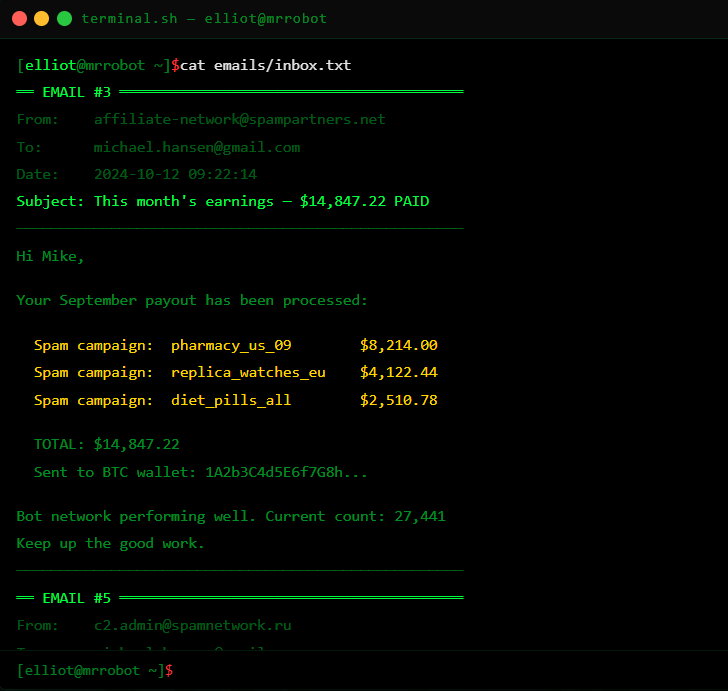
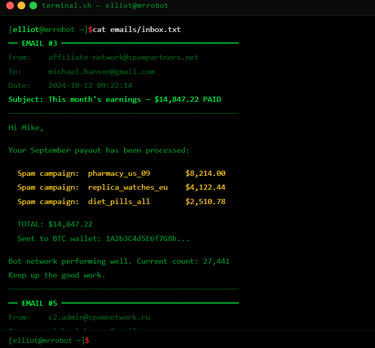
This screenshot shows the fictional inbox messages containing payment information and botnet-related communication. The lab uses this to show how an investigator can connect financial evidence to technical infrastructure.
This is where students learn that cyber investigations are not only about servers and commands. They also involve communication, money flow, usernames, timestamps, and relationships between people and infrastructure.
The lesson is that evidence often appears across different places. A terminal output may show one clue, but an email, file, or log may explain what that clue means.
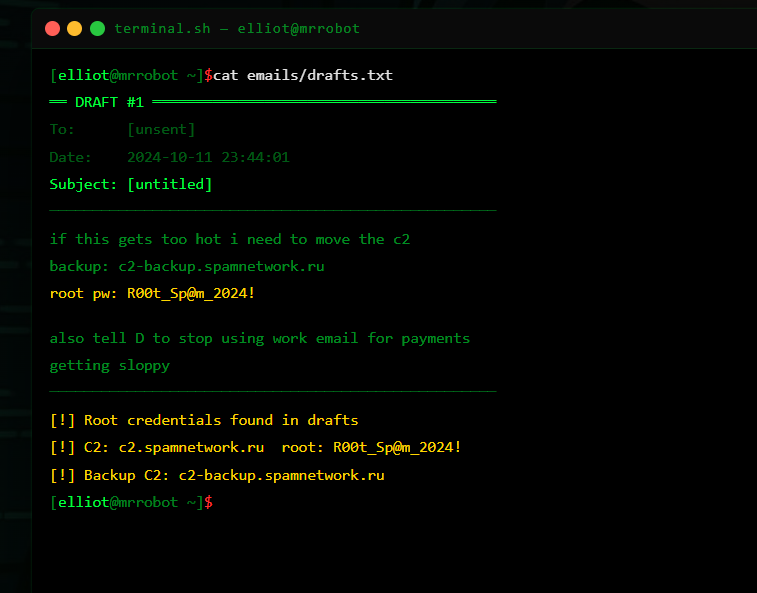
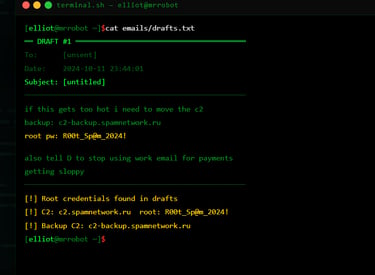
The drafts screenshot shows one of the strongest evidence points in the lab. The fictional target has saved operational details inside a draft message, including backup infrastructure information and credentials.
This teaches a very real security lesson: people often store sensitive data in unsafe places. Draft emails, notes apps, spreadsheets, screenshots, and chat messages can all become evidence during an investigation.
For students, the takeaway is simple. Sensitive credentials should not be stored casually. Organizations need password managers, access controls, auditing, and clear policies for handling secrets.
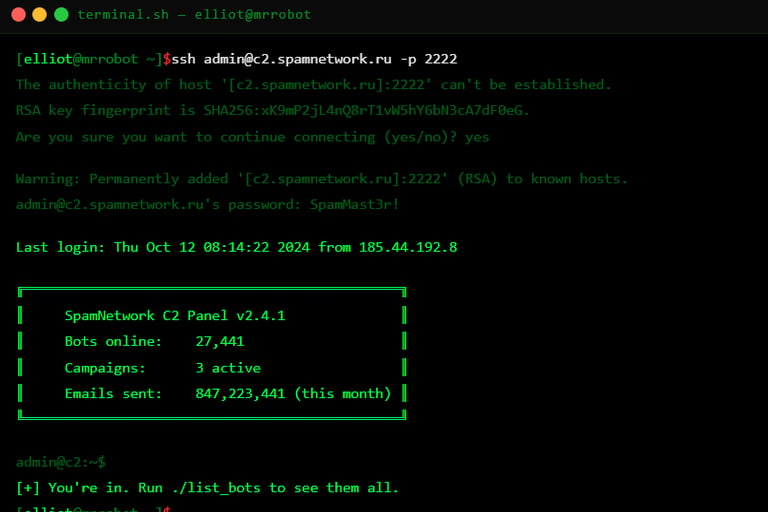
The next screenshot shows the suspicious infrastructure stage. In the lab, the student sees a fictional C2-style panel and a summary of active bots and campaigns.
For a public portfolio post, this should be described from a defender and investigation point of view. The purpose is to understand the impact of a botnet, not to teach students how to operate one.
This part connects to the show because Elliot is not only looking at one person. He is uncovering a larger operation. The lab recreates that idea by showing how one account can lead to infrastructure, campaigns, victims, and financial activity.
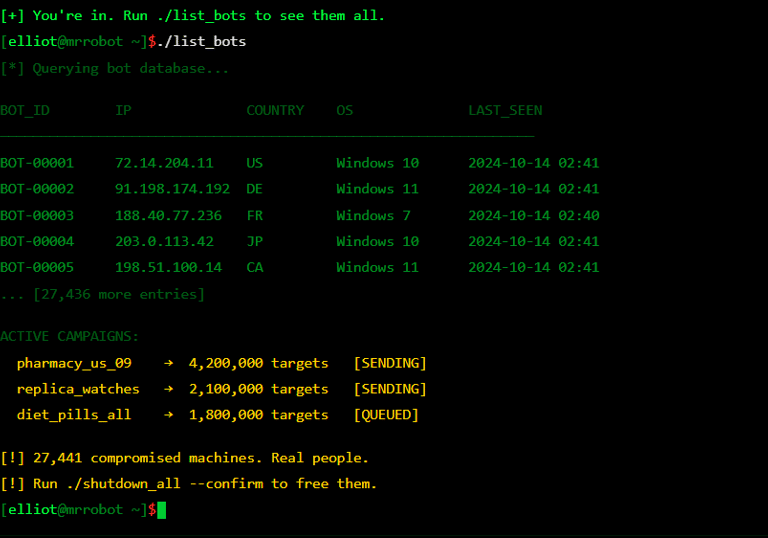
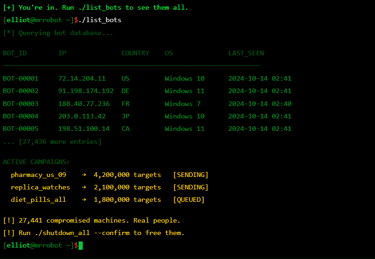
This screenshot shows the lab listing fictional bot records and active campaigns. It gives students a sense of scale. Instead of one infected computer, the operation involves thousands of compromised machines.
This teaches students that botnets are serious because they involve real victims, abused systems, spam campaigns, fraud, and infrastructure used for cybercrime. Even though this lab is fictional, the lesson is real: defenders must think about impact.
A single credential can lead to a bigger investigation. A single inbox can reveal infrastructure. A single server can reveal many victims.
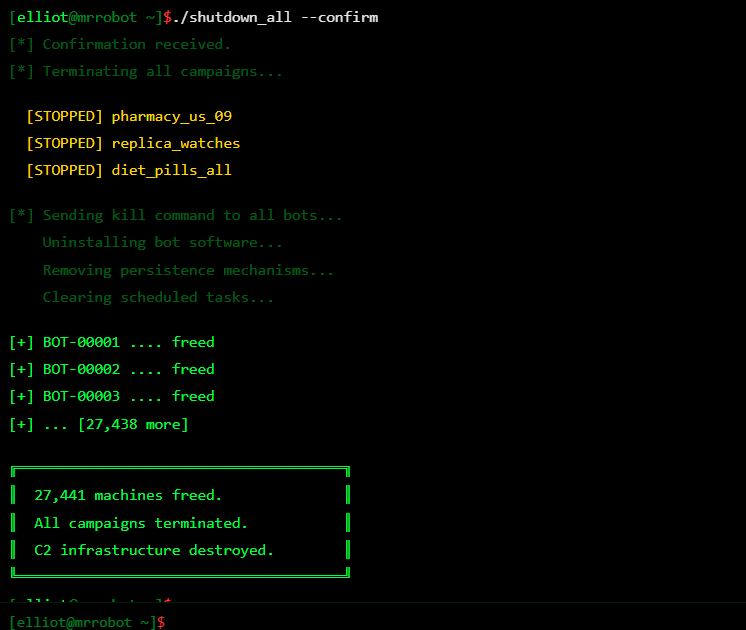
This screenshot shows the lab ending the active campaigns and freeing infected machines. In the context of the blog, I would present this as a fictional recreation of the episode’s dramatic ending.
The important teaching point is not that students should take down systems themselves. In real life, that would require law enforcement, legal authorization, incident response teams, hosting providers, and proper evidence handling.
The safe lesson is that botnet disruption is serious work. It must be coordinated, documented, and legally authorized. The lab uses the scene to teach impact and responsibility.
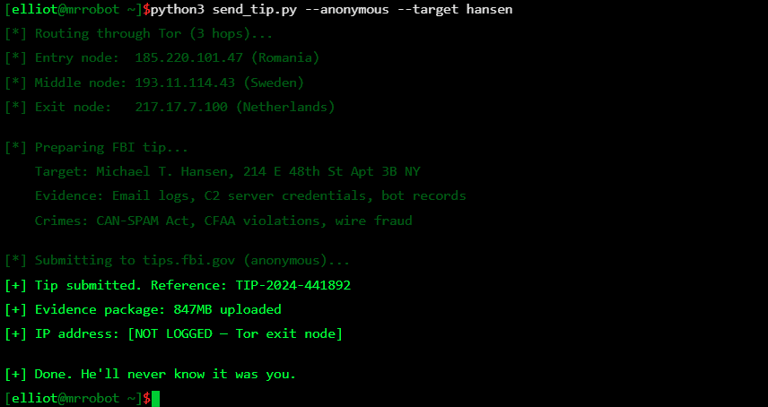
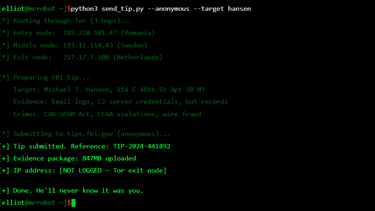
The next screenshot shows the report or tip stage. In the lab story, the evidence package is prepared and submitted.
For teaching, I would use this section to explain responsible reporting. When analysts discover evidence of criminal activity, the right step is not to act alone. The right step is to preserve evidence, document findings, report through proper channels, and involve the right authorities.
This section gives the lab a clean ending. It shows that cybersecurity is not only about finding evidence. It is also about knowing what to do with it.
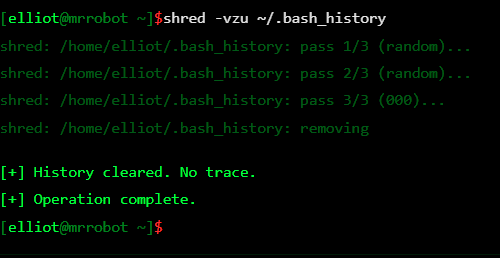
The final screenshot shows the lab completion stage. The operation is complete, and the student has walked through the full investigation flow.
For the blog, I would be careful with how this is worded. Instead of focusing on “no trace” or hiding activity, I would frame this as the lab’s final scene and then explain the ethical difference between TV drama and real cybersecurity work.
In real investigations, analysts do not destroy evidence or hide their actions. They preserve logs, maintain chain of custody, document what they did, and work under authorization. That is an important lesson students should take away from the lab.
This project was interesting because it allowed me to take a famous cybersecurity scene and turn it into an educational experience. Many students are inspired by Mr. Robot, but they may not understand what is happening behind the screen. This lab slows the scene down and explains the technical concepts one by one.
The biggest lesson from this lab is that cybersecurity is not only about tools. It is about research, evidence, human behavior, weak passwords, exposed data, infrastructure, and decision-making.
For my portfolio, this project shows that I can create a themed cybersecurity lab that is both engaging and educational. It uses the atmosphere of Mr. Robot, but the teaching focus is on safe investigation, OSINT awareness, credential hygiene, evidence review, infrastructure analysis, and responsible reporting.
Overall, this Hackademy Mr. Robot Episode 1 lab recreates Elliot’s investigation flow in a controlled environment. It gives students the feeling of following the episode while also teaching them the real lessons behind it: protect your digital footprint, avoid password reuse, secure email accounts, understand botnet impact, and always stay within legal and ethical boundaries.