
I Created a Metasploit Lab
PROJECTSPROJECTS
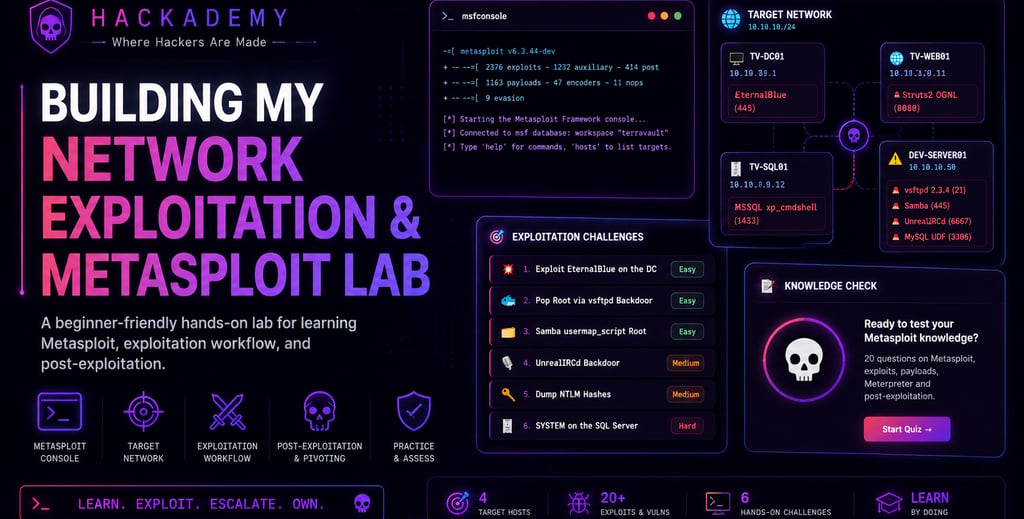
I created this Hackademy Network Exploitation and Metasploit Lab to help beginners understand how exploitation workflows work inside a controlled lab environment. A lot of people hear about Metasploit, payloads, sessions, shells, and post-exploitation, but they do not always understand how all those pieces connect together. My goal with this lab was to make the learning process visual, practical, and beginner-friendly.
The lab is based on a fictional company called TerraVault Financial Network. The target network is 10.10.10.0/24, and the learner’s Kali machine is 10.10.10.200. I wanted the lab to feel like a real internal network assessment, where the student has to look at the available systems, understand the vulnerable services, choose the correct Metasploit module, configure the options, and complete the challenges step by step.
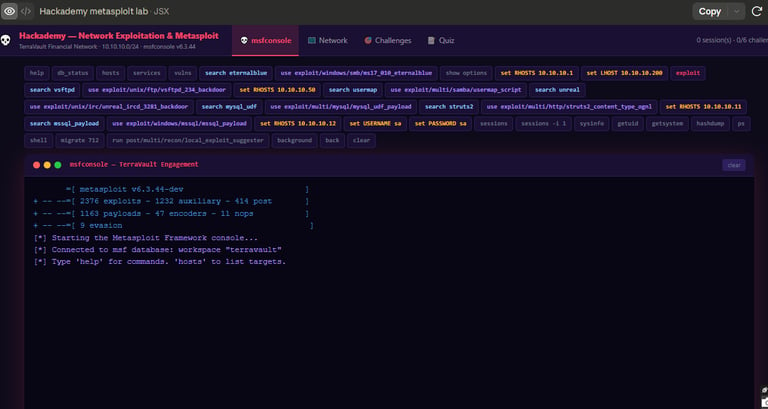
The first screenshot shows the Metasploit-style console. This is the main place where the learner types commands and interacts with the lab. I included commands like search, use, show options, set RHOSTS, set LHOST, exploit, sessions, and post-exploitation commands because these are the basic commands every beginner needs to understand when learning Metasploit.
This section is important because Metasploit is not just about typing exploit. Before running anything, the learner must first search for the correct module, load the module, check what options are required, set the target, set the listener, and then launch the module. That process teaches discipline. It also helps beginners understand that exploitation follows a workflow, not random guessing.
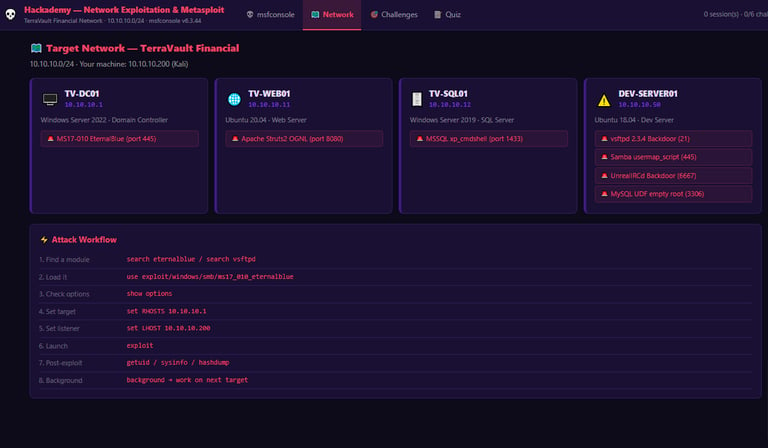
The second screenshot shows the target network. I designed this section to help the learner understand what machines exist in the environment before jumping into exploitation. The lab includes systems like TV-DC01, TV-WEB01, TV-SQL01, and DEV-SERVER01.
Each system has a role and a vulnerability attached to it. For example, TV-DC01 represents a Windows domain controller with an SMB-related vulnerability. TV-WEB01 represents a web server with an Apache Struts-related issue. TV-SQL01 represents a SQL server, and DEV-SERVER01 contains multiple vulnerable services such as FTP, Samba, IRC, and MySQL.
This section matters because real security testing starts with understanding the network. You need to know the target IP, the operating system, the service, the port, and the possible weakness before you choose any module. I wanted students to learn that the network view is not decoration. It is the map that guides the whole lab.
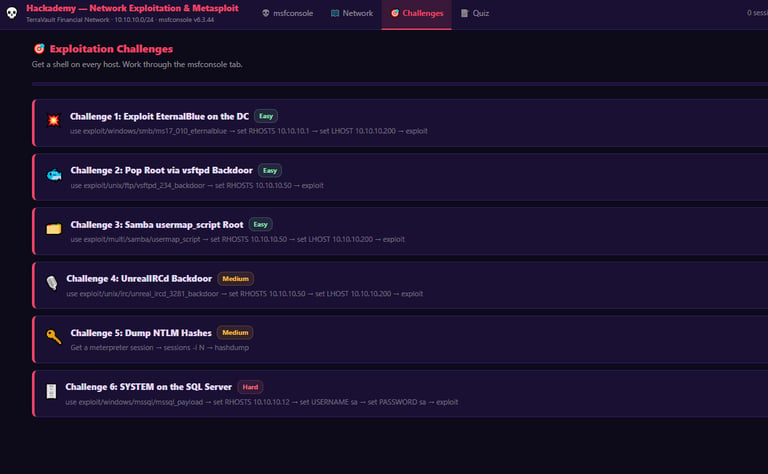
The third screenshot shows the exploitation challenges. I broke the lab into six challenges so learners can move from easier tasks to harder ones. The challenges include exploiting EternalBlue on the domain controller, getting root through a vsftpd backdoor, using the Samba usermap_script module, exploiting UnrealIRCd, dumping NTLM hashes, and gaining SYSTEM-level access on the SQL server.
The reason I added challenges is because beginners need structure. Without clear tasks, a lab can become confusing. Each challenge tells the student what the goal is and gives a basic command flow to follow. This makes the lab easier to understand while still forcing the learner to practice the important Metasploit workflow.
One important thing I wanted this lab to teach is the difference between getting access and understanding access. Getting a shell is not the end of the lesson. After a session opens, the learner still needs to verify who they are, check the system, understand the privilege level, and know what the result means. That is why commands like getuid, sysinfo, sessions, and hashdump are included in the learning flow.
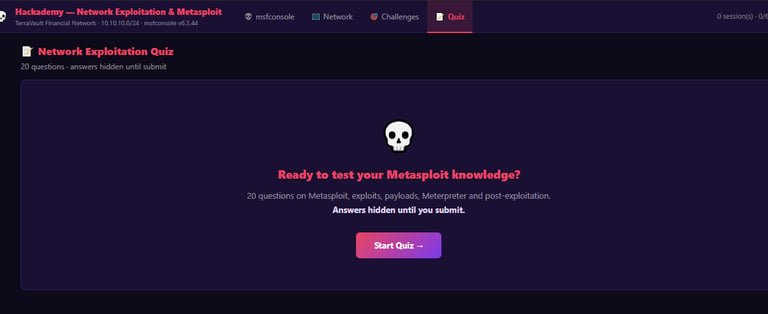
The fourth screenshot shows the quiz section. I added this because I did not want the lab to only be about clicking buttons and running commands. I wanted students to test whether they actually understood the concepts behind the lab.
The quiz focuses on topics like Metasploit modules, exploits, payloads, Meterpreter, sessions, post-exploitation, listeners, and the difference between target and listener settings. This is important because a student can complete a lab by copying commands, but that does not always mean they understand what happened. The quiz helps confirm that the learner understands the process.
Building this lab helped me think deeper about how exploitation is taught. A beginner does not only need a vulnerable machine. They need context. They need to know what the machine is, what service is vulnerable, what module fits the vulnerability, what options must be configured, and how to verify the result after the session opens.
This project also helped me understand the importance of safe and controlled learning environments. The purpose of this lab is education. It gives students a place to practice common exploitation concepts without touching real systems or unauthorized targets. Everything is designed to teach the process, the terminology, and the mindset needed to understand network exploitation responsibly.
One of the biggest lessons from building this lab is that Metasploit is powerful, but the real skill is knowing how to use it properly. The tool does not replace understanding. If a student does not know what RHOSTS means, what LHOST does, why ports matter, or how sessions work, then they are only copying commands. My goal was to make sure every part of the lab points back to understanding.
For my portfolio, this project is important because it shows that I am not just learning cybersecurity topics. I am also building practical labs that can teach others. This lab demonstrates network mapping, vulnerability identification, Metasploit workflow, exploitation practice, post-exploitation basics, and knowledge testing in one environment.
Overall, the Hackademy Network Exploitation and Metasploit Lab gave me a way to turn theory into practice. It helped me build a structured learning environment where beginners can see the target network, understand the vulnerable services, run guided commands, complete challenges, and test their knowledge at the end.
The main lesson is simple: exploitation is not magic. It is a process. You identify the target, understand the service, choose the correct module, configure the options, launch carefully, verify the session, and learn from the result.