
How to Analyze a Suspicious File Properly
ARTICLES
INTRODUCTION
When I teach malware analysis, the first thing I tell people is this: you don’t start by running the malware. That’s the fastest way to infect your system and learn nothing. Real analysis is about understanding what a file is trying to do before you ever let it execute.
So in this walkthrough, I’m going to explain malware analysis the way I actually teach it. I’ll show you what to check first, why it matters, and how to think while you’re doing it. You don’t need to be an expert. You just need to be patient and curious.
STEP 1: DON’T TRUST THE FILE NAME
The file we’re given is called invoice_update.exe. A lot of beginners already make a mistake here by trusting the name. File names lie all the time. Malware authors rely on that.
So the first lesson is simple: ignore the name and ask the system what the file really is.


What I want you to understand here is this: an invoice should never be a Windows executable. Even if you stop the analysis right here, this file is already suspicious enough to block.
STEP 2: CHECK THE SIZE AND BASIC DETAILS
Next, I always tell students to check the file size. This sounds simple, but it helps you build intuition.


Here’s how I want you to think: four hundred kilobytes is normal for a small program, but completely abnormal for an invoice.
STEP 3: LOOK INSIDE WITHOUT RUNNING IT
Now this is one of the most important lessons. You can learn a lot about malware without executing it. One of the safest ways is by extracting readable text strings.
This command does not run the file. It only reads what is already inside it.
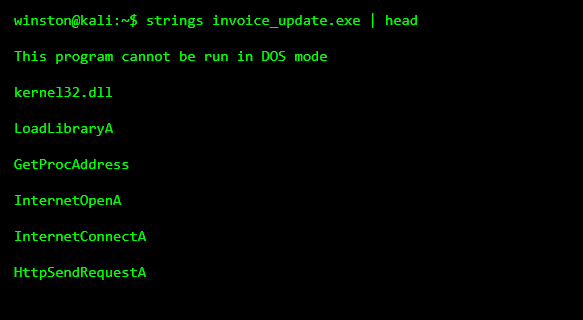
When I teach this, I tell students not to panic if they don’t recognize everything. Focus on what stands out. In this case, the internet-related functions are the giveaway. An invoice does not need to open internet connections.
STEP 4: TEACH YOURSELF TO LOOK FOR CLUES
Next, I show people how to search for things like URLs or web paths. This is where malware often exposes itself.
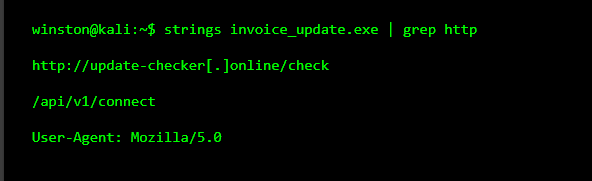
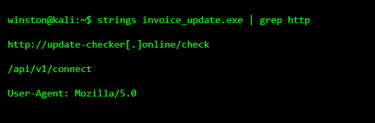
This is where I pause and explain something important. Malware almost always needs to talk to something. If you find URLs like this, you are no longer guessing. You are looking at how the malware communicates.
STEP 5: CHECK IF THE FILE IS TRYING TO HIDE
Another thing I teach is to check whether the file is packed or obfuscated. Malware hides its code to avoid detection.
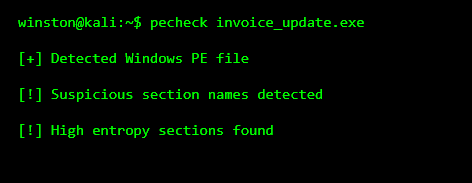
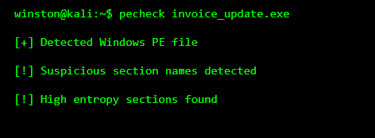
High entropy usually means the file is compressed or encrypted. Legitimate programs rarely go out of their way to hide what they are doing.
STEP 6: PUTTING IT ALL TOGETHER
At this point, I want students to stop and summarize what they’ve learned. This file pretends to be an invoice, but it is a Windows program. It contains internet communication code, reaches out to a suspicious domain, and hides its internal logic.
You don’t need advanced reversing skills to reach this conclusion. This is beginner-level analysis done correctly.
WHY WE STILL DON’T RUN IT YET
This is where a lot of people want to rush. I always stop them here. Running malware without preparation teaches you very little and risks a lot. By the time you execute malware in a sandbox, you should already expect what it will try to do.