HOW HACKERS EXPLOIT INTERNAL FILE SHARES
ARTICLES
INTRODUCTION
Most people imagine hacking as breaking into systems, bypassing defenses, or exploiting vulnerabilities. In reality, some of the most damaging breaches involve none of that. Attackers simply access file shares that were never meant to be public.
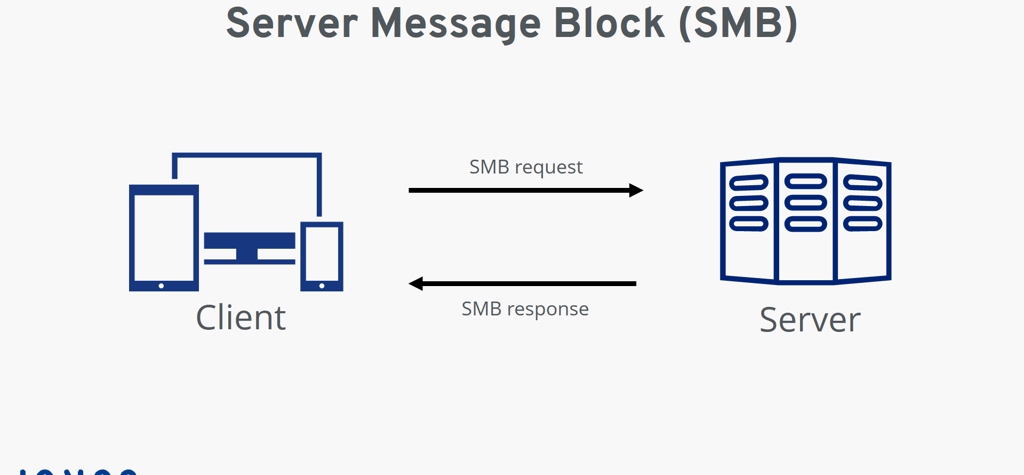
Internal file shares exist to make work easier. Over time, they accumulate sensitive data: credentials, backups, exports, diagrams, notes, and scripts. Access controls loosen, users come and go, and nobody remembers what’s actually stored inside.
This walkthrough shows how attackers exploit internal file shares after initial access.
WHY FILE SHARES ARE A GOLDMINE
File shares are dangerous because they:
Are trusted by default
Contain historical data
Are rarely monitored
Are shared across teams
Often outlive their purpose
Attackers don’t need admin access to benefit from them. They just need any valid login.
STEP 1: INITIAL ACCESS
In most real incidents, access to the internal network has already been achieved:
stolen VPN credentials
compromised workstation
reused password
phishing
At this stage, the attacker looks like a normal employee.
STEP 2: DISCOVERING FILE SHARES
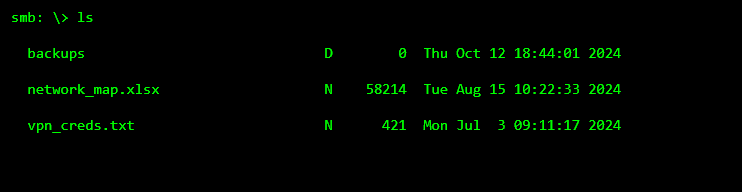
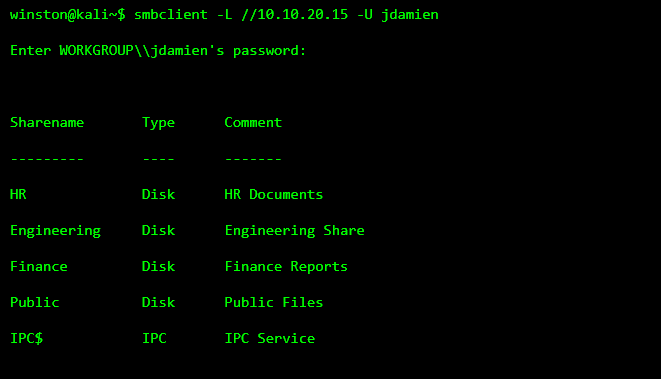
Once inside, attackers enumerate available file shares.
STEP 3: ACCESSING A “NON-SENSITIVE” SHARE
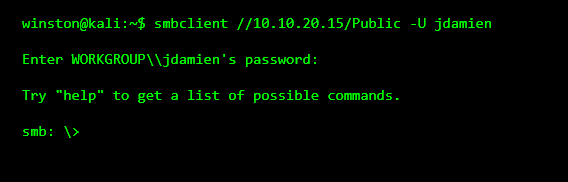
Attackers usually start with the least protected share often called Public, Shared, or Common. These are assumed to be harmless.
STEP 4: BROWSING FILES (THE BORING PART)
Most of the time, attackers don’t find anything immediately useful.
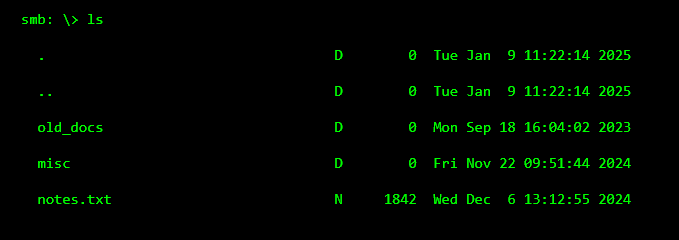
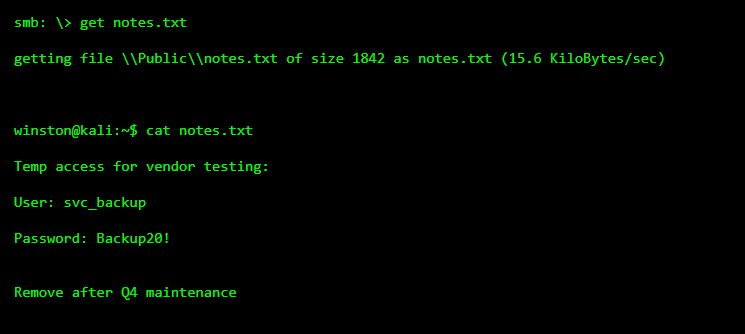
STEP 5: FINDING SOMETHING “SMALL”
Attackers open files that look harmless. Notes. Text files. Old documents.
STEP 6: REALIZING THIS ISN’T AN ACCIDENT
That credential likely:
still exists
was shared across systems
has more access than intended
was never rotated
Attackers don’t rush. They verify quietly.
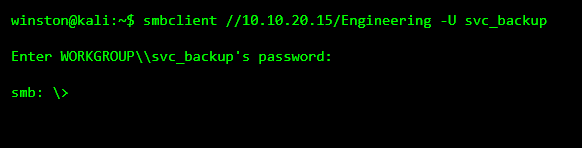
STEP 7: ACCESSING A RESTRICTED SHARE
Now the attacker tries the credential on another share.
STEP 8: THE REAL DAMAGE
Inside engineering shares, attackers often find:
network diagrams
scripts
configs
credentials for other systems
backup archives